What is Meshy used for?
Meshy accelerates 3D asset creation with text and image prompts, AI-assisted retopology, texture editing, and animation tools wrapped in a collaborative web studio and API.


Meshy accelerates 3D asset creation with text and image prompts, AI-assisted retopology, texture editing, and animation tools wrapped in a collaborative web studio and API.
Note: I have not personally tested and verified all tools listed on printer.tools. Please ensure to do your own research and due diligence before using any tool or service. Printer.tools aims to be a helpful directory of useful tools and resources for the 3d printing community. If you find any issues with a listed resource, please let me know.
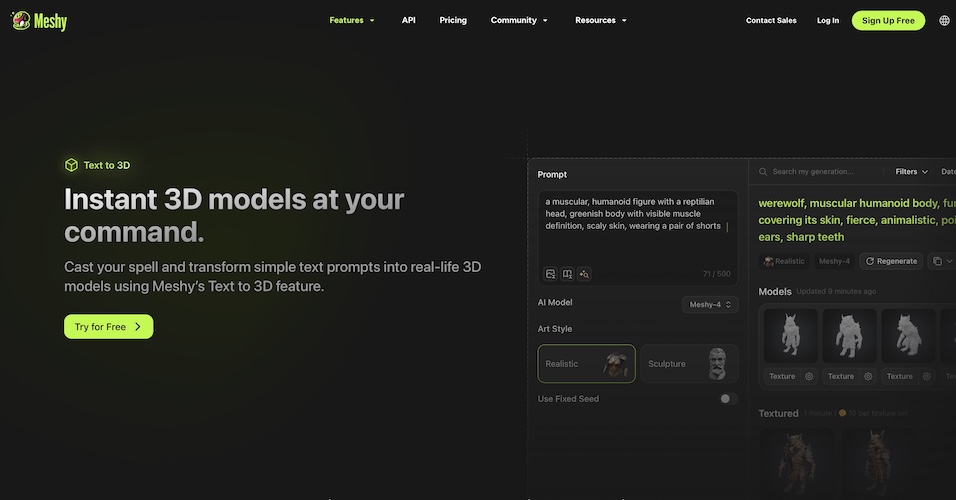
Meshy is a browser-based studio that compresses the entire 3D asset pipeline into a few clicks. Type a prompt, upload a concept image, or remix an existing mesh and Meshy will generate geometry, PBR textures, rigging, and even motion clips. Teams can collaborate in shared workspaces or automate tasks via the Meshy REST API.
Meshy’s exports cover FBX, GLB, OBJ, STL, 3MF, and USDZ, so you can go straight from concept to review or physical prototype. For 3D printing, use the smart remesh slider to generate a mid-poly STL, inspect thin walls, and optionally bake textures for multi-material prints.
Meshy accelerates 3D asset creation with text and image prompts, AI-assisted retopology, texture editing, and animation tools wrapped in a collaborative web studio and API.
Meshy is listed on printer.tools as: Free tier + paid plans. Always check the official website for current pricing or plan limits.
Meshy is listed for Web.